Welcome to RennTech.org Community, Guest
There are many great features available to you once you register at RennTech.org
You are free to view posts here, but you must log in to reply to existing posts, or to start your own new topic. Like most online communities, there are costs involved to maintain a site like this - so we encourage our members to subscribe or donate. All subscriptions and donations go to the costs operating and maintaining this site. We prefer that guests take part in our community and we offer a lot in return to those willing to join our corner of the Porsche world. This site is 99 percent member supported (less than 1 percent comes from advertising) - so please consider an annual subscription or donation to keep this site running.
Here are some of the features available - once you subscribe RennTech.org
- View Classified Ads
- DIY Tutorials
- Porsche TSB Listings (limited)
- VIN Decoder
- Special Offers
- Paint Codes
- Registry
- Videos System
- View Reviews
- and get rid of this welcome message
It takes just a few minutes to register, and it's quality Porsche information at a low cost.
Contributing Members also get these additional benefits:
(you become a Contributing Member by subscribing or donating money to the operation of this site)
- No ads - advertisements are removed
- Access the Contributors Only Forum
- Contributing Members Only Downloads
- Send attachments with PMs
- All image/file storage limits are substantially increased for all Contributing Members
- Option Codes Lookup
- VIN Option Lookups (limited)
-0001-0001.png.112c13ee97acfad0cb1e70d195cc9a0e.png)
Loren
-
Posts
37,933 -
Joined
-
Days Won
657
Content Type
Profiles
Events
Forums
Exterior Paint Colors
Downloads
Tutorials
Links Directory
Collections
Classifieds
Store
Everything posted by Loren
-
Folks please do not start a new thread when one already exists. Lost Radio Code Thread
-
Folks please do not start a new thread when one already exists. Lost Radio Code Thread
-
-0001-0001.thumb.png.17f5bb25bf8ec261a17c21e6321c8492.png)
Transmission Bolts
Loren replied to jskd22's topic in 996 Series (Carrera, Carrera 4, Carrera 4S, Targa)
Hmm... the parts list says they are all the same. -
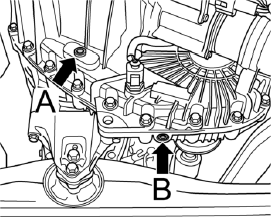
That is B in the diagram - for the front transaxle.
-
A is the inspection/fill plug. B is the drain plug. Fill until it at the inspection plug level (just before it overflows).

-
Idle Speed Oscillates
Loren replied to dwightolson's topic in 996 Series (Carrera, Carrera 4, Carrera 4S, Targa)
If you have replaced the idle control valve and the throttle position sensor and cleaned the throttle body then you likely have an intake leak somewhere. You are only going to see that with an OBD II tool that can show air flow and TRA and FRA. Still it might not hurt to look for any pending codes. -
Help - Harness Connector Identification Needed
Loren replied to Daryfury's topic in 996 TT, 996 TT S, 996 GT2
Looks like the MAF sensor connector to me. -
Help - Harness Connector Identification Needed
Loren replied to Daryfury's topic in 996 TT, 996 TT S, 996 GT2
Can you post a picture? -
Try 1574 or 1576
-
The Becker keys also work on many Mercedes.
-
Bank 1 is the left side of the car (on a Carrera) cylinders 1-3. I have no idea what your readings should be with a supercharger. From the fault codes I would look for bad connections on the O2 sensor before the cat on the left hand side. Clean the connections and reset the codes and see if they come back. If the same codes come back - that O2 sensor is likely bad.
-
P0134 Oxygen Sensor Ahead of TWC, Bank 1 – Interruption of Signal Possible causes: Open circuit in signal wire or ground wire Oxygen sensor heating not functioning Output stage in DME control module faulty Internal resistance too high Check: – Wiring harness – Oxygen sensor – DME control module P1115 Oxygen Sensor Heating Ahead of TWC, Bank 1 – Above Limit Heating current too high – Heating resistance too low – Short to B+ Heating current too low – Short to ground – Corrosion in connector – Break in wiring except for a few wires Open circuit – Break in wiring – Heating resistance too great Internal resistance of oxygen sensor too high – Open circuit in sensor line – Oxygen sensor
-
http://www.renntech.org/forums/index.php?showtopic=2995
-
The are test results using a PST2. A PIWIS can do the same test. You just get a shop to plug it in and then cover and shine a light at the cluster. The percent change should be as shown above. If it does not change then you have a bad sensor.
-
Air Injection System Code, 02 996 TT
Loren replied to porschebuilder's topic in 996 TT, 996 TT S, 996 GT2
P0491 Secondary Air Injection System, Bank 1 - Insufficient Flow P0492 Secondary Air Injection System, Bank 2 - Insufficient Flow Possible cause of fault - Electrical fault in power supply or line between relay and secondary air injection pump - Secondary air injection pump relay mechanically faulty - Mechanical fault in electrical secondary air valve - Pneumatic secondary air valve faulty/sluggish - Electrical fault in secondary air injection pump - Mechanical fault in secondary air injection pump or secondary air injection pump blocked - Vacuum system leaking - Air hose to secondary air injection pump slipped off or constricted -
GT3 and RS differences - The Definitive RennTech List
Loren replied to lbp's topic in 997 GT3, GT3 RS
According to the parts list the GT3 and GT3 RS use the same motor mounts. -
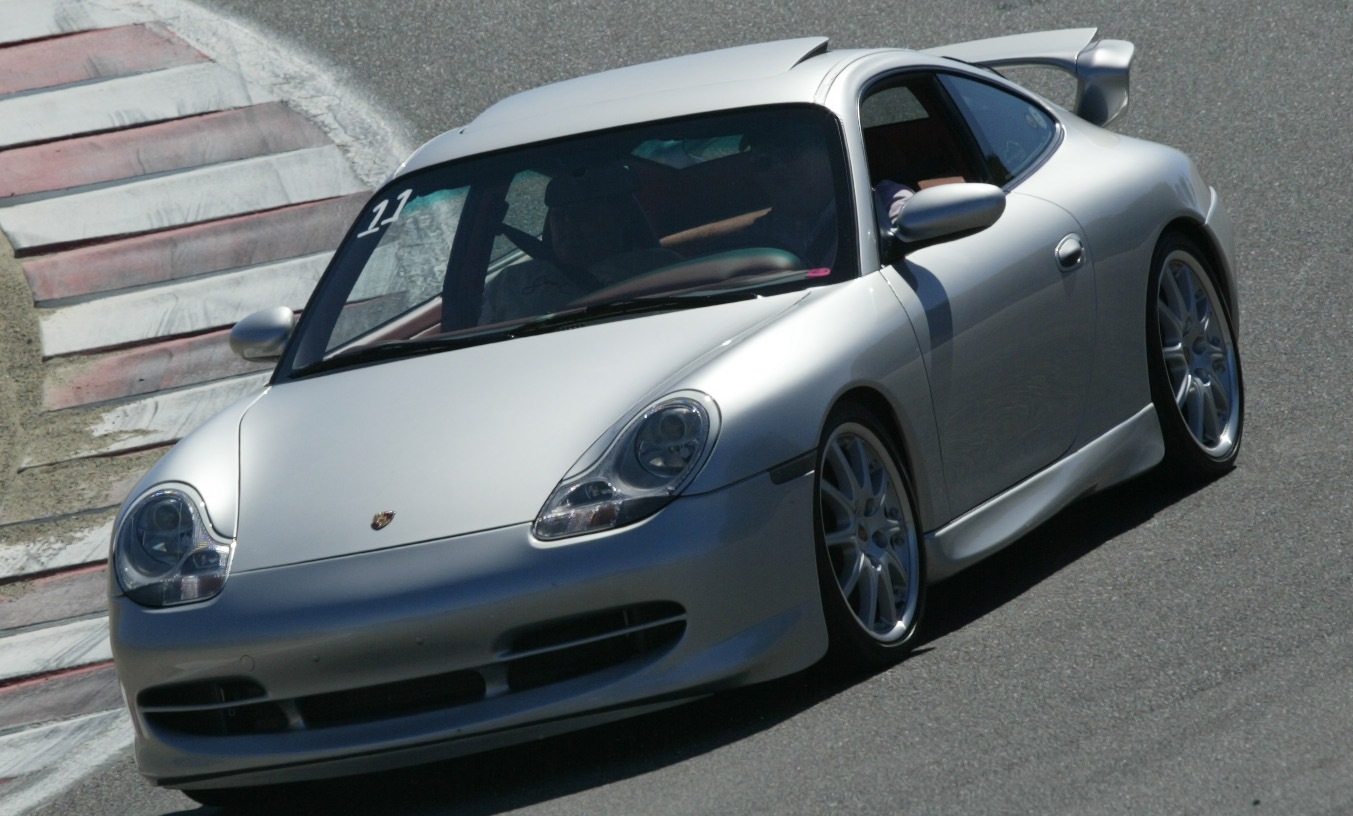
:welcome: Beautiful car - Seal Grey?
-
The folks at Sunset Imports (Porsche Parts at Dealer Cost) just sent me this hot item... Super Sale 98-04 Boxster REAR SPEAKER KIT fits cars with rear storage box Reg $326.78 Now $129.86 Just click on Porsche Parts at Dealer Cost
-
'Standby' current draw?
Loren replied to fastboydave's topic in 996 Series (Carrera, Carrera 4, Carrera 4S, Targa)
In series - so you disconnect the battery and put the meter in-line. -
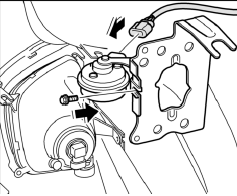
There is a horn at the front left and front right near the fog lights. The front bumper will need to be removed.
-
'Standby' current draw?
Loren replied to fastboydave's topic in 996 Series (Carrera, Carrera 4, Carrera 4S, Targa)
I use a current meter at the battery. -
'Standby' current draw?
Loren replied to fastboydave's topic in 996 Series (Carrera, Carrera 4, Carrera 4S, Targa)
Depending on options about 40-60 ma. -
PSE Switch or No Switch!?!?
Loren replied to Tecra's topic in 996 Series (Carrera, Carrera 4, Carrera 4S, Targa)
That is my point - if you have a PSE (Porsche parts) then it defaults to open on the time. No, I did not make my sport exhaust I have a factory PSE. -
PSE Switch or No Switch!?!?
Loren replied to Tecra's topic in 996 Series (Carrera, Carrera 4, Carrera 4S, Targa)
I do not know of any US law that would require the switch. The law here only requires it to be below a certain db level - and that is only in some states. My PSE did not trigger the noise sensors at Laguna Seca - and they are the tightest track I know of. Except for a few professional races per year you have to run "street legal" db levels. If you wire the flaps other than what they are as default (which IS open) then the PSE will always be quiet. Why would you do that? The PSE sounds like a stock exhaust in quiet mode. -
tensionner bering when out !
Loren replied to sir16's topic in 996 Series (Carrera, Carrera 4, Carrera 4S, Targa)
Be happy the pulley failure didn't take out the alternator - many times it does. Go through a few starts and stops and see if the ABS light clears. I have seen that before and sometimes you just need a few drive cycles.